How to Apply for PM Surya Ghar Subsidy Online in UP (2026): Step-by-Step Full Guide
Step-by-step guide to apply for PM Surya Ghar subsidy in Uttar Pradesh — documents, DISCOM timeline, and how to avoid rejection. Updated for 2026.

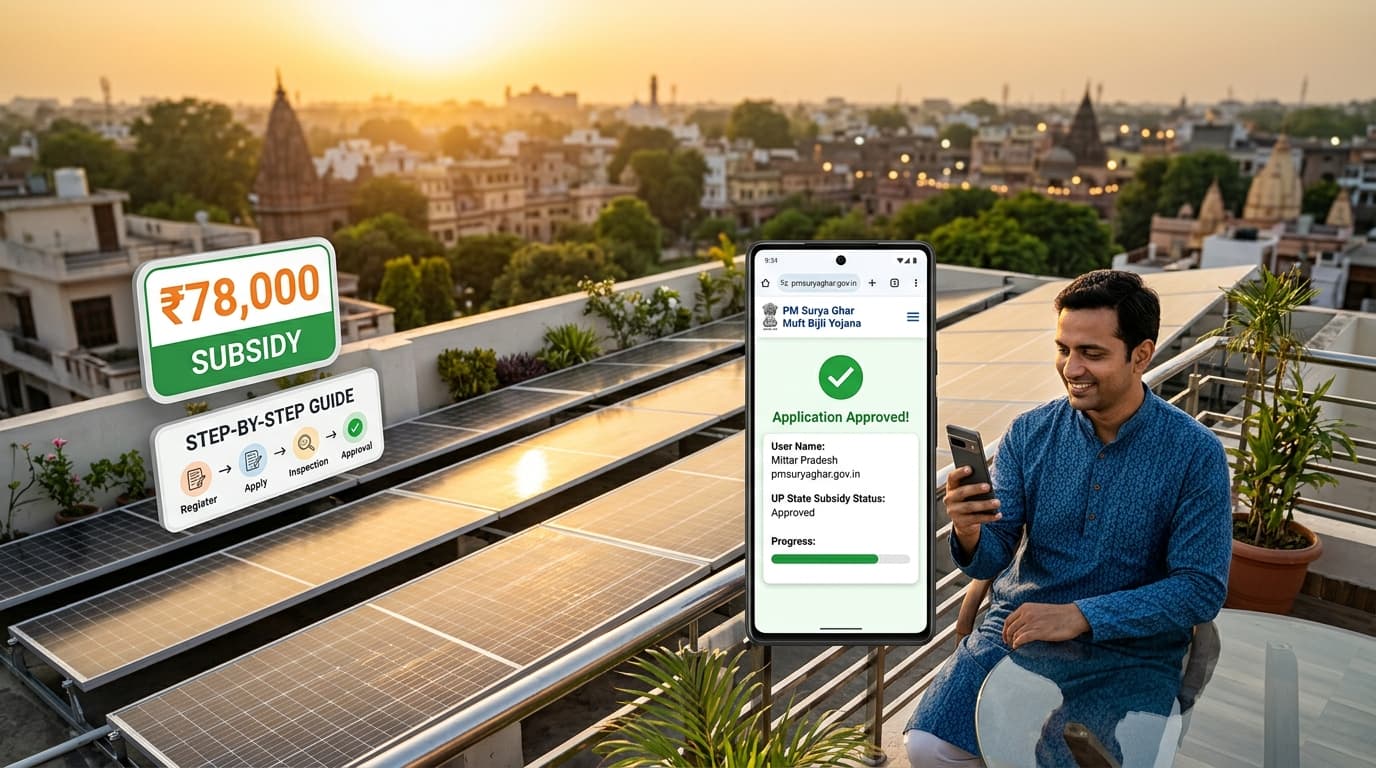
This guide is for residential homeowners in Uttar Pradesh who already know they want rooftop solar — and now need to navigate the actual application process on pmsuryaghar.gov.in without getting stuck, rejected, or waiting indefinitely for subsidy credit. We have processed hundreds of PM Surya Ghar applications through UPPCL and UPNEDA across all 75 districts of UP — from Lucknow and Kanpur to Jaunpur, Gorakhpur, and Prayagraj — and the friction points are almost always the same. This 2026-updated guide tells you exactly where those friction points are and how to get past them.
Subsidy amounts at a glance: The central government subsidy under PM Surya Ghar Muft Bijli Yojana is ₹30,000 per kW for the first 2 kW and ₹18,000 for the 3rd kW, capped at 3 kW per household. That is ₹60,000 for a 2 kW system and ₹78,000 for a 3 kW system. For complete eligibility details and state top-up amounts, see our PM Surya Ghar subsidy guide.
Eligibility Checklist: Are You Eligible in UP?
Before you open the portal, confirm every item on this list. A single mismatch will stall or kill your application.
- Residential connection only. Your electricity meter must be a domestic/residential connection under UPPCL — Paschimanchal Vidyut Vitran Nigam (PVVNL), Purvanchal Vidyut Vitran Nigam (PuVVNL), Madhyanchal Vidyut Vitran Nigam (MVVNL), Dakshinanchal Vidyut Vitran Nigam (DVVNL), or Kanpur Electricity Supply Company (KESCO). Commercial, industrial, and agricultural connections are not eligible.
- Active, bill-paid account. Your consumer account must be active with no pending arrears. Defaulter or disputed accounts are flagged automatically during the DISCOM feasibility check.
- System size ≤ sanctioned load. The solar capacity you apply for cannot exceed the sanctioned load (kW) shown on your current electricity bill. A 2 kW sanctioned load means you can apply for at most a 2 kW system without first getting the load enhanced through your DISCOM.
- ALMM-listed solar panels. Installed panels must appear on the MNRE Approved List of Models and Manufacturers (ALMM). From June 1, 2026, both ALMM List-I (module) and List-II (domestic cell) are required. Non-compliant panels disqualify your entire subsidy claim (though MNRE has allowed a "Give It Up" exemption until March 2027 if you voluntarily forgo the subsidy to just get net metering). See our DCR and ALMM guide for the full breakdown.
- Empanelled vendor. Installation must be done by a vendor empanelled on the national PM Surya Ghar portal. Using an unapproved local contractor is the most common rejection reason we see in UP.
- Property ownership. You must own the property. Aadhaar and property documents must match the electricity consumer name. Tenants are not eligible.
- One subsidy per consumer number. One beneficiary per active meter. Joint families sharing a single meter receive one subsidy regardless of size.
Documents Required for PM Surya Ghar Application in UP
Gather all of these before you open the portal — it asks for uploads at multiple stages and missing documents cause delays of several weeks.
| # | Document | What to Check |
|---|---|---|
| 1 | Electricity bill (last 1–3 months) | Must clearly show consumer number, sanctioned load (kW), and registered address |
| 2 | 12-digit UPPCL consumer number | Located at the top of your bill; verify on uppcl.mpower.in before entry |
| 3 | Aadhaar card | Name must match the electricity bill exactly. Aadhaar-linked mobile needed for OTP |
| 4 | Bank passbook or cancelled cheque | Must be in the applicant's own name for Direct Benefit Transfer (DBT) |
| 5 | Property ownership proof | Sale deed (registry), property tax receipt, or possession letter — any that shows your name |
| 6 | Passport-size photograph | Clear, recent, white background, JPEG under 200 KB |
| 7 | Active mobile number | Must be Aadhaar-linked for seamless OTP; keep it reachable through the whole process |
Field tip: Scan all documents at 200 DPI minimum in PDF or JPEG. The portal enforces a 2 MB per-file upload limit — compress PDFs beforehand using a tool like ilovepdf.com. Blurry or partial scans are a hidden rejection trigger at the document-review stage.
Step-by-Step Application Process on pmsuryaghar.gov.in
The national portal enforces a strict step-by-step sequence — you cannot jump ahead. Here is exactly what happens at each stage.
Step 1 — Register on the Portal
- Open pmsuryaghar.gov.in and click Apply for Rooftop Solar.
- Select Uttar Pradesh as your state, then choose your district and electricity distribution company. Your DISCOM is printed on your bill — pick the correct one from PVVNL, PuVVNL, MVVNL, DVVNL, or KESCO.
- Enter your 12-digit consumer account number exactly as printed on your bill. Even a single wrong digit gives a "consumer not found" error and resets the form.
- Register with your mobile number and set a password. The OTP lands on your Aadhaar-linked mobile.
Step 2 — Fill Form A (Beneficiary Application)
Log in and complete Form A — the main application. Critical fields:
- Personal details: match your Aadhaar name character for character, including middle name or initials if present
- Property address: must match the address on your electricity bill
- Desired system capacity in kW (do not exceed your sanctioned load)
- Roof type (RCC / GI sheet) and approximate shadow-free area in sq ft
Upload all documents from the checklist above. The consumer number auto-fills from Step 1 — confirm it is correct before clicking Submit.
Step 3 — DISCOM Feasibility Approval
After Form A submission, the application moves to your local UPPCL sub-division for technical feasibility assessment. The JE/AE at your sub-division verifies:
- Remaining feeder capacity to absorb solar export
- Requested solar capacity vs. your sanctioned load
- Technical suitability of your connection point for net metering
UP-specific timeline: UPPCL DISCOMs are mandated to issue feasibility approval within 15 working days. In urban zones — Lucknow (MVVNL), Kanpur (KESCO), and Prayagraj (DVVNL) — we typically see approval within 10–20 working days. In rural sub-divisions across Jaunpur, Ballia, and Sonbhadra (all PuVVNL), the full 15 days is common and can stretch to 20–25 days during peak load season (April–June). If there is no response after 15 working days, raise a grievance through the portal immediately — this creates an SLA-tracked ticket.
Step 4 — Select Your Empanelled Vendor
Once feasibility is approved, the portal unlocks the vendor selection screen. You must choose a vendor from the portal's district-level empanelled list. This step cannot be skipped or reversed after installation.
Important: Never allow an installer to begin work before you have completed vendor selection on the portal. Systems installed before portal-confirmed vendor selection are not eligible for subsidy, regardless of who did the installation.
Ensolvar is a UPNEDA-authorised solar installer operating across all 75 districts of Uttar Pradesh and empanelled on the PM Surya Ghar national portal. Contact us on WhatsApp before you reach this step so we can coordinate the selection.
Step 5 — System Installation
Your empanelled vendor installs the rooftop solar system. Key requirements at this stage:
- Only ALMM List-I + List-II compliant panels (mandatory post June 2026)
- Inverter must carry MNRE / BIS approval
- Installed capacity must exactly match the feasibility-approved capacity — any deviation requires a fresh feasibility letter before net metering can proceed
After installation, the vendor submits Form B (net metering application) through the portal on your behalf.
Step 6 — Net Metering Application & UPPCL Inspection
Net metering is what converts your rooftop solar into the "300 units free electricity" benefit month after month. The UPPCL process:
- Vendor submits net metering application via the portal (Form B) immediately after installation
- Your DISCOM's sub-division deputes a Junior Engineer (JE) for a physical site inspection
- JE verifies: installed capacity matches the approval, panel models appear on ALMM, mounting and earthing conform to UP DISCOM technical standards
- Bidirectional (import-export) meter is issued and installed at the DISCOM's cost under the scheme
- Net metering is activated; your account begins recording both import and export units
UP-specific timeline: UPPCL must complete net metering within 15 working days of Form B submission. In urban areas (Lucknow, Varanasi, Gorakhpur), the JE inspection typically happens in 7–15 working days. Bidirectional meter installation can add another 5–15 days depending on stock availability at the sub-division. Rural sub-divisions in eastern UP are the slowest — budget 25–30 working days total.
Step 7 — Commissioning Certificate
After the bidirectional meter is live, the DISCOM issues a Commissioning Certificate (also called the System Inspection Report). This is the document that triggers subsidy disbursement. Your vendor uploads it to the portal along with:
- Geo-tagged installation photographs
- Panel serial numbers and ALMM approval references
- Inverter model and MNRE approval number
- Bidirectional meter serial number
Step 8 — Subsidy Disbursement via Direct Benefit Transfer
Once the commissioning certificate is verified on the portal:
- MNRE processes the disbursement claim in batch
- Subsidy amount is transferred directly to your bank account via DBT — no intermediary handles the funds
- You receive an SMS notification when the transfer is initiated
UP-specific timeline: From commissioning certificate upload to bank credit, the typical window in UP is 30–60 days. Based on our experience across UP, this can range from 20 days in optimal cases to up to 70–80 days during peak application season (February–April). Monitor the portal's Disbursement Status tab — when it shows "Disbursement Initiated," credit follows within 3–5 working days.
PM Surya Ghar Subsidy by System Capacity (2026)
| System Capacity | Subsidy Calculation | Total Central Subsidy |
|---|---|---|
| 1 kW | ₹30,000 × 1 kW | ₹30,000 |
| 2 kW | ₹30,000 × 2 kW | ₹60,000 |
| 3 kW | (₹30,000 × 2 kW) + (₹18,000 × 1 kW) | ₹78,000 |
| Above 3 kW | Subsidy capped at 3 kW equivalent | ₹78,000 |
Central + UP State Subsidy = ₹1,08,000
Uttar Pradesh is one of the few states that layers its own state subsidy on top of the central PM Surya Ghar amount. Administered by UPNEDA (Uttar Pradesh New and Renewable Energy Development Agency), the state top-up provides an additional ₹15,000 per kW, capped at ₹30,000 per household.
When you combine the maximum central subsidy (₹78,000) with the maximum UP state subsidy (₹30,000), a 3 kW system qualifies for a total subsidy of ₹1,08,000.
Important: State top-up funds are subject to UPNEDA budget allocations. Always verify current availability and process with your empanelled vendor during application.
Common Rejection Reasons in UP — and How to Avoid Them
These are the failure modes we see repeatedly across hundreds of UP applications:
| Rejection Reason | Root Cause | Prevention |
|---|---|---|
| Wrong consumer number | Typo in the 12-digit UPPCL number during registration | Copy number directly from bill; verify on UPPCL's self-service portal before entry |
| Non-ALMM panels installed | Vendor used non-listed or List-I-only panels post June 2026 | Get written confirmation of List-II ALMM status for the exact panel model before signing |
| Non-empanelled vendor | System installed by a local contractor not on PM Surya Ghar portal | Select only from the portal's district vendor list — no exceptions |
| Capacity exceeds sanctioned load | Applied for 3 kW with a 2 kW sanctioned load | Read sanctioned load from your bill; apply for DISCOM load enhancement first if needed |
| Aadhaar–bill name mismatch | Consumer name on bill uses abbreviations or initials differing from Aadhaar | Update consumer name via DISCOM or match Aadhaar name exactly during form entry |
| Bank account in different name | Using a joint account or spouse's account | Open and link a bank account in the applicant's sole name for DBT |
| Document quality / size | Blurry scans or files exceeding 2 MB rejected silently | Scan at 200 DPI+, compress to under 2 MB, verify preview before upload |
| Pre-installation (no portal vendor selection) | Vendor starts work before the applicant locks in vendor on portal | Complete Step 4 fully before allowing any physical work to begin |
How to Track Your PM Surya Ghar Application Status
- Go to pmsuryaghar.gov.in and log in with your registered mobile number
- Click Dashboard → Track Application Status
- The portal displays each stage with a timestamp:
- Form A Submitted → Feasibility Pending → Feasibility Approved → Vendor Selected → Installation Pending → Commissioning Uploaded → Subsidy Disbursed
- For DISCOM-level delays (stuck at Feasibility or Net Metering stages), call your UPPCL sub-division office directly with your consumer number and PM Surya Ghar reference number
- If you are past the 15-working-day SLA at any stage, use the portal's Grievance tab to file a complaint — this generates a ticket number with a mandated response timeline
Frequently Asked Questions
The full end-to-end timeline — from portal application to subsidy credit in your bank — is typically 75–120 days in Uttar Pradesh. It breaks down roughly as: 10–15 working days for DISCOM feasibility approval + 7–15 working days for vendor installation + 15–25 working days for net metering and DISCOM inspection + 30–60 days for MNRE disbursement after commissioning upload. Urban districts (Lucknow, Kanpur, Varanasi) tend to be faster; rural eastern UP districts are slower at each stage.
If your commissioning report was uploaded more than 60 days ago and no bank credit has appeared, check these four things: (1) Log in to the portal — the Disbursement Status tab shows if MNRE has initiated the transfer. (2) Verify your bank account number and IFSC on the portal — a single digit error silently blocks DBT. (3) Confirm your vendor uploaded all required documents including geo-tagged photos, ALMM panel references, and the bidirectional meter serial number. (4) If all documents are correct, raise a grievance on the portal and contact your DISCOM consumer helpline with your PM Surya Ghar reference number.
For a standard 3 kW residential rooftop solar system, the central government subsidy is ₹78,000 — calculated as ₹30,000/kW × 2 kW (₹60,000) plus ₹18,000 for the third kilowatt. The subsidy is disbursed directly into the applicant's bank account via Direct Benefit Transfer (DBT) after DISCOM inspection and commissioning report upload.
In 2026, a homeowner in UP is eligible if: (1) they hold a residential electricity connection under UPPCL (PVVNL / PuVVNL / MVVNL / DVVNL / KESCO), (2) their account is active and paid up, (3) the applied system capacity does not exceed their current sanctioned load, (4) they install ALMM List-I + List-II certified panels through a portal-empanelled vendor, and (5) they own the property. Prior rooftop subsidy recipients, tenants, and commercial connection holders are not eligible.
The most common reasons in UP are: incorrect consumer number at registration, panels not on the ALMM list (or only List-I after June 2026), vendor not listed on the PM Surya Ghar portal for your district, system capacity exceeding the sanctioned load on your bill, and a name mismatch between Aadhaar and electricity bill. Identify which stage the rejection occurred at — the portal shows this — then correct the specific issue and reapply.
You need: a recent UPPCL electricity bill (last 1–3 months, showing consumer number and sanctioned load), your Aadhaar card (name must match bill exactly), an active Aadhaar-linked mobile number, a bank passbook or cancelled cheque in your own name, proof of property ownership (sale deed or property tax receipt), and a passport-size photograph. All files must be clear, complete, and under 2 MB for portal upload.
Yes — PM Surya Ghar Muft Bijli Yojana applies across all 75 districts of Uttar Pradesh including Lucknow, Varanasi, Kanpur, Prayagraj, Gorakhpur, Jaunpur, Agra, Meerut, Aligarh, and Bareilly. The application process is identical everywhere; only the DISCOM name changes at Step 1: PVVNL covers Paschimanchal (Meerut, Noida, Ghaziabad zone); PuVVNL covers Purvanchal (Varanasi, Gorakhpur, Jaunpur zone); MVVNL covers Madhyanchal (Lucknow, Hardoi, Sitapur zone); DVVNL covers Dakshinanchal (Prayagraj, Agra, Banda zone); and KESCO covers Kanpur city.
Let Ensolvar Handle Your Entire PM Surya Ghar Application
The PM Surya Ghar application involves eight coordinated steps across the national portal, your UPPCL DISCOM, your bank, and an empanelled vendor — over a 75–120 day timeline. A single error at any stage can mean rejection, forfeited subsidy, or months of rework.
Ensolvar is a UPNEDA-authorised solar installer empanelled on the PM Surya Ghar national portal, operating across all 75 districts of Uttar Pradesh — from Jaunpur and Varanasi to Lucknow, Kanpur, and Gorakhpur. We handle the complete application pipeline:
- Portal registration and Form A submission
- DISCOM feasibility coordination and follow-up
- ALMM List-I + List-II compliant installation
- Net metering application and UPPCL inspection liaison
- Commissioning certificate upload and subsidy status tracking
No subsidy is claimed until your bank confirms the credit.
Ready to Apply? Start with a Free WhatsApp Consultation
Message us your consumer number, district, and approximate roof area — we'll confirm eligibility, check DISCOM load, and walk you through the next step.
Or contact us via ensolvar.com/contact. No advance fees for paperwork.
This guide was first published on 15 July 2026 and reflects current portal workflows on pmsuryaghar.gov.in, UPPCL DISCOM procedures, and MNRE subsidy disbursement timelines as of Q3 2026. Solar policy can change — always cross-verify with the official PM Surya Ghar portal or contact us for the latest applicable rules before applying.